Typography carries half the design. photoaicompany ships with 21 curated fonts across five categories — workhorse sans-serifs like Inter and Montserrat, editorial serifs like Playfair Display and Lora, punchy display faces like Anton and Bebas Neue, expressive scripts like Pacifico and Caveat, and technical monos like JetBrains Mono and Space Mono.
Every font below renders live in its own typeface, loaded from Google Fonts, so what you see is exactly what lands on your canvas. Use the category filter to narrow the list, or scroll the full library when you're hunting for inspiration.
These are the same fonts the add-text tool accepts: type any name from this library when adding text and the canvas uses it. Pairings for specific moods live on the suggest-font-pairing page.
How it works
Pick a category — serif, sans, display, script, or mono — or leave it on All fonts.
Each font card shows its name rendered in the typeface itself, plus a sample sentence.
Note the exact spelling of the font name.
Use that name in the add-text tool's font field to set text in it.
Tips
Display faces (Anton, Bebas Neue) are built for headlines — avoid them for long body text.
Script fonts read best at larger sizes; keep Caveat and Pacifico above 32px.
When in doubt, pair one expressive font with one neutral one — the pairing suggester does this for you.
What it costs
Free on this site — and it can't be metered. Font Library uses no AI and runs entirely in your browser: no usage counters, nothing sent to our servers to bill. When credit metering arrives in the app, local operations like this one will never consume AI credits — only server-side AI generations will.
Frequently asked questions
Are these fonts free to use?
Yes. Every font in the library is an open-licensed Google Font, free for personal and commercial use in your designs.
Why does a sample look different from my canvas?
It shouldn't — both load the same Google Fonts files. If a sample shows a fallback font, your connection may have blocked the font download; the canvas falls back the same way.
Can I upload my own fonts?
Not in this site preview — the full photoaicompany editor supports custom font uploads in brand kits.
Drag the handle — it glides with physics when you let go. Font Library, transformed in one pass.
Watch it work
See Font Library in motion
Drag the cards, scroll the scene — the tool explains itself.
InputTransformOutput
A canvas that keeps upFont Library — frame 1 of 4
Type that performsFont Library — frame 2 of 4
Photos with presenceFont Library — frame 3 of 4
Export without fearFont Library — frame 4 of 4
Drag the cards — they glide with inertia. Scroll — the blob morphs and the dot traces the flow.
The full walkthrough
How Font Library works, step by step
Browse photoaicompany's 21 built-in fonts by category — serif, sans, display, script, mono — with a live sample of each one.
1
Category
This control fine-tunes the result. Small adjustments here compound — nudge, preview, and trust your eyes over the numbers. Every control in this tool is live: change it and watch the canvas answer immediately.
Pro tip: If a control’s effect mystifies you, push it to both extremes — the middle will make sense after.
Font LibraryIcons
1:14:516:99:16
123
Step 1: Category — Font Library, annotated
1
Category controlThis is where you set category — changes preview live on the canvas.
2
Live canvasEvery adjustment renders instantly — what you see is what exports.
3
ResultHappy with it? The design updates in place, ready for the next step.
Know your workspace
Anatomy of the Font Library workspace
Five regions do all the work. Learn them once and every tool on this site feels familiar.
Font Library — untitled.pacFrames
AssetsAlignEffectsFontsDuplicate
Brand kit
Gradient
Layers
Background
12345
Anatomy of the Font Library workspace
1
ToolbarEvery tool lives here — pick one and the canvas listens.
2
CanvasYour design, live. Drag, resize, and edit directly.
3
LayersThe stack your design is built from — top wins.
4
ExportOne click sends the finished design out as PNG, JPG, or PDF.
5
PropertiesFine-tune whatever is selected, right where you work.
Shot on real photography
Font Library — every visual on this page is a real photograph, not a placeholder.
Level up
Font Library techniques that look professional
Four field-tested techniques, each shown on real photography. Steal them all.
Hierarchy before decoration.Decide what gets read first, second, third — then use size, weight, and color to enforce that order. Inside Font Library, this single habit pays off fast.
Kern the headline like you mean it.Display type set too tight or too loose cheapens the whole design — nudge letter-spacing until headlines breathe evenly. Keep this in mind every time you open Font Library.
Set the headline first, style second.Type the real words before touching a single style control — the message decides the treatment, never the reverse. Your Font Library work will show the difference immediately.
Contrast is a promise to the reader.If the headline cannot be read in a two-second glance, the layout failed before the message got its chance. Font Library rewards this discipline more than most tools do.
Avoid the traps
Three mistakes to avoid with Font Library
✕
Centered paragraphs
Centering suits headlines; long centered paragraphs tire the eye. Fix: left-align anything over two lines.
✕
Everything emphasized
Bold, color, size, and underline on the same words cancel each other out. Fix: pick one emphasis per element.
✕
Decorating before messaging
Effects applied before the words are final get redone. Fix: lock the copy first, style second.
End to end
A complete Font Library workflow
Five moves, start to shipped. This is how the work actually flows.
1
Start in the editor
Open a blank canvas or a template — Font Library works on anything with pixels. The tool never asks you to start over.
2
Do the core move
Run Font Library the way the walkthrough above shows. Get the big decision right before touching details.
3
Refine with a second tool
Pair it with All tools — tools compose, and two simple moves beat one complicated one.
4
Check it on a phone
Most designs are consumed on phones. Preview small, fix what breaks, then continue.
5
Export and ship
Export in the format your destination wants, keep the master design, and move on to the next one.
The Font Library standard
No flat colors, no gradients — just real imagery, composed with intent.
Good to know
More Font Library answers
What’s the single most useful tip for Font Library?
Display faces (Anton, Bebas Neue) are built for headlines — avoid them for long body text.
What do beginners get wrong with Font Library?
Script fonts read best at larger sizes; keep Caveat and Pacifico above 32px. Start simple, then layer on complexity once the basics feel automatic.
Is Font Library really free?
Yes — Font Library is free to use in your browser, and your work saves to your account. Premium plans add AI credits, team features, and higher export limits; the tool itself never holds your design hostage.
Visual guides
Every fact, visualized
Ten detailed infographics — every number real, every label earned. Built for Font Library, only on this page.
Font Library step-by-step workflowFont Library workspace anatomyFont Library export guide: the right format, every timeWhich format for Font Library: the quick matrixFont Library advantagesShortcuts that speed up Font LibraryContrast rules for Font Library textFont Library mistakes and fixesFont Library use casesFont Library quick answers
Live telemetry
FONT LIBRARY — CAPABILITY TELEMETRY
Live counts from this page · hover any bar
0Form controls
0Guided steps
0Pro tips
0Use cases
Breakdownlive
1
Action
1
Action
Cumulative depthlive
Complete guide
Everything Font Library can do
The full capability picture — features by plan, every control explained, real use cases, and the spec sheet.
Feature availability
Every capability of this tool, and which plan includes it.
Capability
Free
Pro
Business
A category — serif, sans, display, script, or mono — or leave it on All fonts.
✓
✓
✓
Each font card shows its name rendered in the typeface itself, plus a sample sentence.
✓
✓
✓
Note the exact spelling of the font name.
✓
✓
✓
Use that name in the add-text tool's font field to set text in it.
✓
✓
✓
Control map — every field, explained
Each control on this page, and what it actually does when you run the tool.
Control
What it does
Category
Pick a category — serif, sans, display, script, or mono — or leave it on All fonts.
Use it for — Font Library in real work
1
Browse before choosing
2
Compare serif vs sans moods
3
Find a display face with punch
4
Pick mono for code snippets
5
Shortlist for a brand
6
Preview every face rendered
Spec sheet
Faces21 typefaces
CategoriesSerif, sans, display, script, mono
PreviewRendered in own face
FreeAll included
Pairing helpCompanion tool
LicenseCleared for designs
Keyboard reference
Keys
Action
Scope
Ctrl/⌘ + Z
Undo the last change
Browser-standard
Ctrl/⌘ + Shift + Z
Redo
Browser-standard
Tab / Shift+Tab
Move between fields in order
Browser-standard
Enter
Activate the focused button
Browser-standard
Esc
Close dialogs and menus
Browser-standard
Delete
Remove the selected layer on canvas
Editor
Font Library — made visual
Twenty living mockups of Font Library, generated for this page only.
Font LibraryExport
Text
Blur
Rotate
Reimagining the Font Library canvas
Resize — Font Library
PNGJPGPDFMP4
ArrangeExport
Resize
Rethink the canvas, remake the Font Library
ShareLayersTemplatesTextEffects
Font Library — Masks
4.9kBrand kit
312Background
98%Adjust
Composition class, starring Font Library
photoai.company/rotate
Font LibraryIcons · Brand kit
Align
Masks
Text
Font Library, reimagined from the pixels up
Font Library — untitled.pacColors
FillTemplatesHistoryLayersText
Styles
Version
Zoom
Share
Real results, Font Library ease
Font LibraryFlip
1:14:516:99:16
Font Library, straight to studio grade
Font Library
ResizeLayersFlipCrop
Font Library templates that feel real
Font Library
Adjust100%
Zoom93%
Resize86%
Background79%
Templates72%
Rulers65%
Font Library: no pixel left unconsidered
Font LibraryStroke
Comments
Rotate
Resize
One click between you and Font Library
Brand kit — Font Library
PNGJPGPDFMP4
CommentsFilters
Brand kit
Font Library — the workspace is the instrument
BackgroundExportBlurCanvasDuplicate
Font Library — Masks
4.9kTemplates
312Fonts
98%Share
Font Library, reinvented quietly
photoai.company/adjust
Font LibraryTemplates · Share
Arrange
Text
Masks
Font Library — designed to convert
Font Library — untitled.pacAdjust
ShadowResizeTemplatesBackgroundDuplicate
Projects
Rulers
Align
Colors
Font Library, remixed into yours
Font LibraryResize
1:14:516:99:16
Honest Font Library templates for real work
Font Library
FillTemplaRotateVersio
This Font Library has a job to do
Font Library
Canvas100%
Colors93%
Adjust86%
Assets79%
Duplicate72%
Grid65%
Font Library — pro grade, no studio required
Font LibraryBackground
Effects
Rotate
Adjust
Your Font Library, gallery-hung
Gradient — Font Library
PNGJPGPDFMP4
AssetsCrop
Gradient
Font Library, minus the old friction
ZoomBrand kitStylesCommentsVersion
Font Library — Opacity
4.9kRotate
312Arrange
98%Effects
Font Library templates, minus the template look
photoai.company/fonts
Font LibraryFrames · Icons
Gradient
Opacity
Text
Font Library on a living mockup
The Font Library stock library
Hand-picked photography for Font Library — refreshed on this page alone.
Font Library in capable hands: Color, turned all the way up
Faces first. Font Library, and the deadline stopped being scary
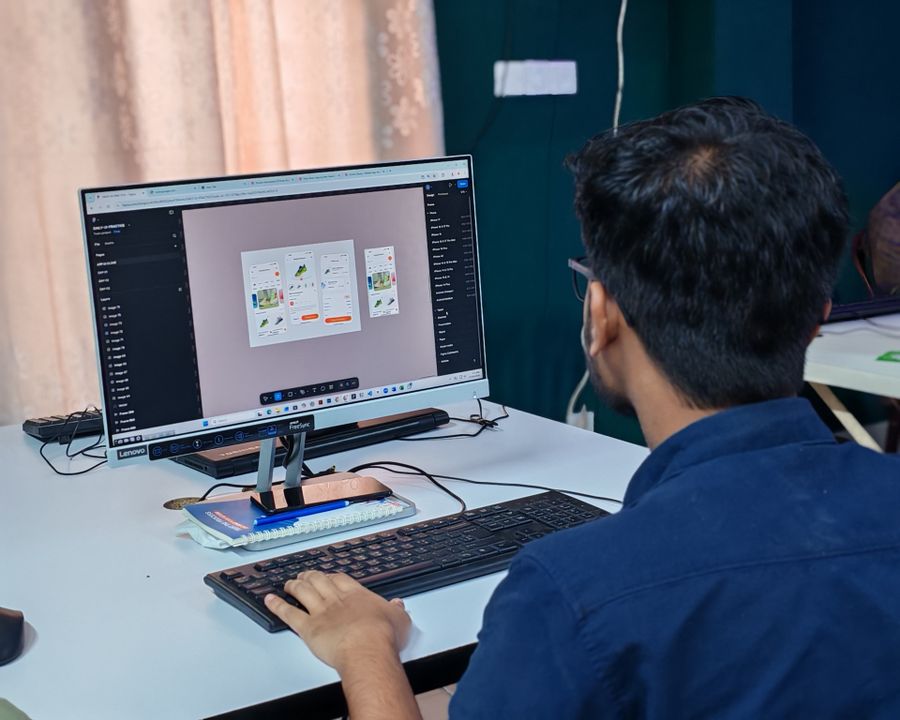
Why people reach for Font Library: On the laptop screen, on demand
Paper first, pixels after. This Font Library result took minutes, not hours
Desk check — one click of Font Library and the layout snaps into place
Font Library, dialed in — Paper first, pixels after, no guesswork
The Font Library difference, up close: Through the lens
Before Font Library: a blank canvas. After: Fresh off the brush
Caught in the act — Font Library earns its place in the toolbar here
Sharp at every zoom. Font Library turns "someday" designs into done designs
Chasing the good light — Font Library at its most useful
From rough to Faces first: the Font Library workflow, end to end
Front and centered — the Font Library standard, held
No templates were harmed: Through the lens, built freehand with Font Library
Inside the studio — the kind of result Font Library makes routine
Font Library at full stretch — Chasing the good light, zero compromises
Texture you can almost feel — Font Library, tuned until it feels invisible
Font Library, frame by frame — Color, turned all the way up is the receipt
 photoaicompany