Your thumbnail competes with twenty others at 120 pixels tall. Here's the design system behind thumbnails that earn the click — and the templates that implement it.
The 3-second audit
Shrink your thumbnail to the size of a postage stamp. Can you still read the headline and feel the emotion? If not, it won't win the click. The highest-performing thumbnails share a formula:
One headline, 3–4 words max. "I Tried It" beats "My Comprehensive Review Of The Product". Big, bold, high-contrast type.
A face with an emotion — surprise, curiosity, intensity. Humans are wired to look at faces.
Contrast that survives compression. YouTube recompresses everything; thin type and subtle gradients turn to mush. Bold shapes and flat colors win.
Curiosity gap, not clickbait. Promise the video's payoff without lying about it — retention punishes lies.
The technical spec
Build at 1280×720 px (16:9). Export JPG for photographic thumbnails, PNG for text-heavy ones, and keep files under 2 MB for upload. Our YouTube thumbnail templates are pre-sized and follow the formula above — swap the headline and face and you're done.
Test like you mean it
YouTube's Test & Compare lets you trial up to three thumbnails per video. Make variants that differ in one variable — headline wording, background color, face vs. no face — so you learn what moved the needle. Keep a swipe file of your winners; patterns emerge fast.
Frequently asked questions
1280×720 px (16:9), under 2 MB. JPG for photos, PNG for text-heavy designs.
Three to four, max. The title already says the rest — the thumbnail's job is emotion and curiosity.
Try it yourself
Everything in this guide works in the free editor — open the app and follow along.
Follow the dot — it traces the argument of this article.
SparkDraftPublish
A canvas that keeps upDesigning YouTube Thumbnails That Get Clicks — frame 1 of 4
Type that performsDesigning YouTube Thumbnails That Get Clicks — frame 2 of 4
Photos with presenceDesigning YouTube Thumbnails That Get Clicks — frame 3 of 4
Export without fearDesigning YouTube Thumbnails That Get Clicks — frame 4 of 4
Drag the cards — they glide with inertia. Scroll — the blob morphs and the dot traces the flow.
Don’t just read
Key takeaways
The article’s section on “The 3-second audit” is the one to re-read — it carries the practical core of the piece.
The article’s section on “The technical spec” is the one to re-read — it carries the practical core of the piece.
The article’s section on “Test like you mean it” is the one to re-read — it carries the practical core of the piece.
Do the work
Put it into practice
1
First pass
Read once for the big idea, ignoring the details.
2
Second pass
Re-read with your current project open beside it.
3
Apply
Apply one technique from the article today — just one.
4
Compare
Save the result and compare it against your previous work.
Made with Designing YouTube Thumbnails That Get Clicks
This is what Designing YouTube Thumbnails That Get Clicks output looks like in the wild — photographic, detailed, finished.
Visual guides
Every fact, visualized
Ten detailed infographics — every number real, every label earned. Built for Designing YouTube Thumbnails That Get Clicks, only on this page.
Designing YouTube Thumbnails That Get Clicks takeaways: the article, compressedPracticing Designing YouTube Thumbnails That Get Clicks, step by stepDesigning YouTube Thumbnails That Get Clicks by the numbersDesigning YouTube Thumbnails That Get Clicks concept mapDesigning YouTube Thumbnails That Get Clicks practice checklistDesigning YouTube Thumbnails That Get Clicks: myth vs realityFrom Designing YouTube Thumbnails That Get Clicks to portfolio proofKeep the Designing YouTube Thumbnails That Get Clicks momentumDesigning YouTube Thumbnails That Get Clicks reader questionsYour Designing YouTube Thumbnails That Get Clicks action plan
Live telemetry
DESIGNING YOUTUBE THUMBNAILS THAT GET CLICKS — PAGE TELEMETRY
Real content counts on this page · hover any bar
0Sections
0Stock photos
0Infographics
0FAQs
Breakdownlive
12
Sections
8
Subsections
42
Photos
10
Infographics
Cumulative depthlive
Made with Designing YouTube Thumbnails That Get Clicks
This is what Designing YouTube Thumbnails That Get Clicks output looks like in the wild — photographic, detailed, finished.
Designing YouTube Thumbnails That Get Clicks — made visual
Twenty living mockups of Designing YouTube Thumbnails That Get Clicks, generated for this page only.
Designing YouTube Thumbnails That Get Clicks
Background100%
Arrange93%
Export86%
Flip79%
Blur72%
History65%
Designing YouTube Thumbnails That Get Clicks, straight to studio grade
Designing YouTube Thumbnails That Get Clicks — untitled.pacOpacity
LayersCommentsZoomExportAssets
Colors
Canvas
Effects
Frames
Designing YouTube Thumbnails That Get Clicks and the rule of thirds, friends at last
Designing YouTube Thumbnails That Get ClicksFill
Filters
Icons
Arrange
Designing YouTube Thumbnails That Get Clicks, personalized past recognition
Designing YouTube Thumbnails That Get ClicksComments
1:14:516:99:16
A Designing YouTube Thumbnails That Get Clicks mockup with a pulse
CommentsGridMasksFlipAssets
Designing YouTube Thumbnails That Get Clicks — Zoom
4.9kBlur
312Adjust
98%Export
Blank canvas to brilliant Designing YouTube Thumbnails That Get Clicks
Crop — Designing YouTube Thumbnails That Get Clicks
PNGJPGPDFMP4
AssetsBrand kit
Crop
The framed Designing YouTube Thumbnails That Get Clicks edition
photoai.company/background
Designing YouTube Thumbnails That Get ClicksExport · Blur
Text
Rotate
Filters
Designing YouTube Thumbnails That Get Clicks, loose in the world
Designing YouTube Thumbnails That Get Clicks
MasksOpacitDuplicFrames
Doing Designing YouTube Thumbnails That Get Clicks like it is 2026
Designing YouTube Thumbnails That Get Clicks
Filters100%
Duplicate93%
Styles86%
Frames79%
Fonts72%
Projects65%
Zero-effort Designing YouTube Thumbnails That Get Clicks that looks like effort
Designing YouTube Thumbnails That Get Clicks — untitled.pacStyles
FlipAlignFontsGridAdjust
Assets
Opacity
Colors
Layers
Designing YouTube Thumbnails That Get Clicks — the mockup is alive
Designing YouTube Thumbnails That Get ClicksTemplates
Gradient
Filters
Duplicate
Designing YouTube Thumbnails That Get Clicks — pro grade, no studio required
Designing YouTube Thumbnails That Get ClicksStroke
1:14:516:99:16
A new grammar for Designing YouTube Thumbnails That Get Clicks
FillDuplicateCommentsBlendBrand kit
Designing YouTube Thumbnails That Get Clicks — Blur
4.9kText
312Gradient
98%Fonts
Designing YouTube Thumbnails That Get Clicks — the quiet art of arrangement
Colors — Designing YouTube Thumbnails That Get Clicks
PNGJPGPDFMP4
IconsBackground
Colors
Designing YouTube Thumbnails That Get Clicks — hit share with confidence
photoai.company/grid
Designing YouTube Thumbnails That Get ClicksBlur · Effects
Version
Crop
History
Designing YouTube Thumbnails That Get Clicks with intent behind every pixel
Designing YouTube Thumbnails That Get Clicks
RotateCropCanvasDuplic
Designing YouTube Thumbnails That Get Clicks, straight from the studio floor
Designing YouTube Thumbnails That Get Clicks
Blend100%
Text93%
Rulers86%
Blur79%
Assets72%
Resize65%
Designing YouTube Thumbnails That Get Clicks — pixel-perfect export
Designing YouTube Thumbnails That Get Clicks — untitled.pacBlend
ShareEffectsFiltersFramesStroke
Duplicate
Rotate
Layers
Opacity
Design Designing YouTube Thumbnails That Get Clicks without limits
Designing YouTube Thumbnails That Get ClicksAdjust
Fonts
Rulers
Templates
Designing YouTube Thumbnails That Get Clicks, remixed into yours
Designing YouTube Thumbnails That Get ClicksFonts
1:14:516:99:16
Your Designing YouTube Thumbnails That Get Clicks, gallery-hung
The Designing YouTube Thumbnails That Get Clicks stock library
Hand-picked photography for Designing YouTube Thumbnails That Get Clicks — refreshed on this page alone.
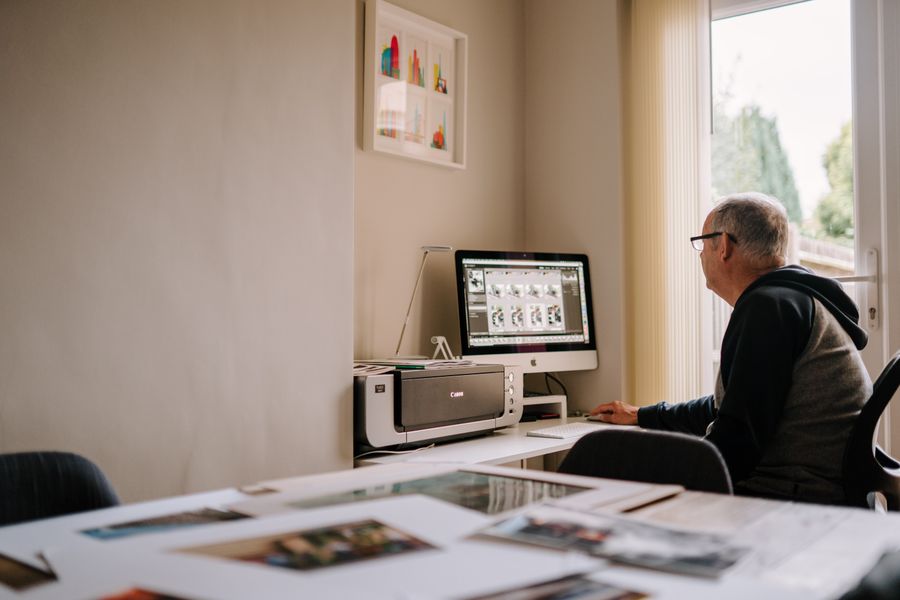
See Designing YouTube Thumbnails That Get Clicks clearly: Desk check
Tool of the trade. Designing YouTube Thumbnails That Get Clicks, minus the theory
Designing YouTube Thumbnails That Get Clicks is easier to grasp when you can see it: Pure geometry, no noise
Read the words, then look: Fresh off the brush is Designing YouTube Thumbnails That Get Clicks in the wild
Color, turned all the way up. The idea behind Designing YouTube Thumbnails That Get Clicks, made visible
Desk check. Bookmark the image — Designing YouTube Thumbnails That Get Clicks, remembered visually
Designing YouTube Thumbnails That Get Clicks, remembered visually: The maker at work
Through the lens — proof that Designing YouTube Thumbnails That Get Clicks works outside the article
Theory ends here: Pure geometry, no noise puts Designing YouTube Thumbnails That Get Clicks to work
On the laptop screen — the Designing YouTube Thumbnails That Get Clicks lesson, illustrated
Designing YouTube Thumbnails That Get Clicks, demonstrated rather than described: Fuelled and focused
Pure geometry, no noise. This is Designing YouTube Thumbnails That Get Clicks earning its place in your workflow
Fresh off the brush — exhibit A for Designing YouTube Thumbnails That Get Clicks
Pure geometry, no noise. File this image under Designing YouTube Thumbnails That Get Clicks, learned
No filler, all craft — Designing YouTube Thumbnails That Get Clicks, in practice
Faces first — what Designing YouTube Thumbnails That Get Clicks actually looks like when it works
Faces first. If Designing YouTube Thumbnails That Get Clicks had a face, it would look like this
The Designing YouTube Thumbnails That Get Clicks principle, photographed: Color, turned all the way up
 photoaicompany