Every logo here starts as editable vector-style shapes and text on a square canvas — not a flattened image. Change the mark, the wordmark, and the colors until it feels like yours.
Export a transparent PNG for your site and social profiles (transparent export is a Pro feature), or drop the logo straight into a brand kit.
Recommended sizes
Use
Size
Logo canvas
1000 × 1000 px (square)
ready to customize
How to use a logos template
Click Use this template on any design you like.
The editor opens with the template loaded — edit text, images, colors, and fonts.
Apply your brand kit in one click to restyle the whole design.
Export as PNG, JPG, PDF — no watermark, ever.
Frequently asked questions
Yes — export as transparent PNG, available on Pro plans. Free plans export on a solid background.
Yes — every element of these logo templates is a separate editable layer: shapes, text, and colors.
Yes — templates open in the editor free, and exports carry no watermark on any plan. Some templates are marked Pro and need a paid plan to use.
No. Click Use this template and start editing anonymously. You'll only need an account when you want to save your work to the cloud.
From blank to brilliant
Logos templates, in motion
Remix the grid, flip the view — the templates keep up.
PickCustomizePublish
A canvas that keeps upLogos templates — frame 1 of 4
Type that performsLogos templates — frame 2 of 4
Photos with presenceLogos templates — frame 3 of 4
Export without fearLogos templates — frame 4 of 4
Drag the cards — they glide with inertia. Scroll — the blob morphs and the dot traces the flow.
The method
How to use Logos templates
Five steps from template to finished design. Follow them in order and skip the guesswork.
1
Pick the bones, not the demo
Judge a template by its structure — you’ll replace every word and pixel anyway. The right template is 70% right before you touch it.
Logos
ProjecRulersAdjustArrang
12
Step 1: Pick the bones, not the demo — the Logos method
1
Step 1Pick the bones, not the demo
2
Your turnDo this in the editor — it takes about a minute per step.
2
Swap in your photo
Replace the demo image with yours. One strong real photo beats the placeholder every time.
Logos — untitled.pacAdjust
HistoryOpacityStrokeColorsRulers
Projects
Filters
Rotate
Version
12
Step 2: Swap in your photo — the Logos method
1
Step 2Swap in your photo
2
Your turnDo this in the editor — it takes about a minute per step.
3
Rewrite every word
Templates ship with filler; your message is the design. Write the real headline before styling anything.
LogosFill
Projects
Rotate
Stroke
12
Step 3: Rewrite every word — the Logos method
1
Step 3Rewrite every word
2
Your turnDo this in the editor — it takes about a minute per step.
4
Recolor to your brand
Apply your palette in one move. Instant brand alignment, zero fiddling.
LogosFonts
Canvas
Crop
Templates
12
Step 4: Recolor to your brand — the Logos method
1
Step 4Recolor to your brand
2
Your turnDo this in the editor — it takes about a minute per step.
5
Resize for every placement
One design becomes a full set — square, story, banner — with the resize tool. Never stretch; always reflow.
Logos — untitled.pacCanvas
EffectsIconsRulersBlendFrames
Blur
Export
Version
Fill
12
Step 5: Resize for every placement — the Logos method
1
Step 5Resize for every placement
2
Your turnDo this in the editor — it takes about a minute per step.
Inspiration
Where Logos designs get used
The logo earns a quiet corner.Small, consistent placement builds recognition without shouting over the message. This is doubly true when the job is Logos.
Clear space is non-negotiable.The logo’s exclusion zone exists for a reason — nothing enters it, no matter how tight the layout. Make it part of your Logos routine.
Audit the kit yearly.Brands drift: fonts get swapped, colors wander. A yearly kit review keeps everything honest. Logos rewards this discipline more than most tools do.
Apply the kit before you decorate.Brand colors and fonts first, creativity second — constraints make decisions faster. Keep this in mind every time you open Logos.
Shot on real photography
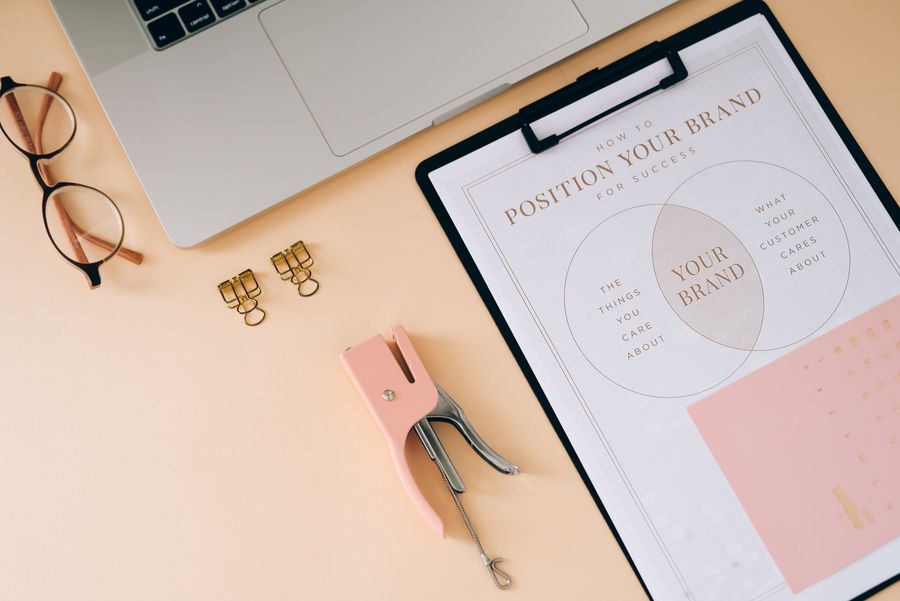
Logos templates — every visual on this page is a real photograph, not a placeholder.
Visual guides
Every fact, visualized
Ten detailed infographics — every number real, every label earned. Built for Logos templates, only on this page.
 photoaicompany